Skip to content
PaintwardenMiniature studioGet the app
Language
NewPaint Tools: compare colors and convert schemes

Paint more. Hunt less.

Paintwarden keeps your paints, miniatures, and color recipes together, so you know what's ready before you sit down to paint.

Get PaintwardenSee how it works
macOS & Windows
Self-hosted web app
Your data stays yours
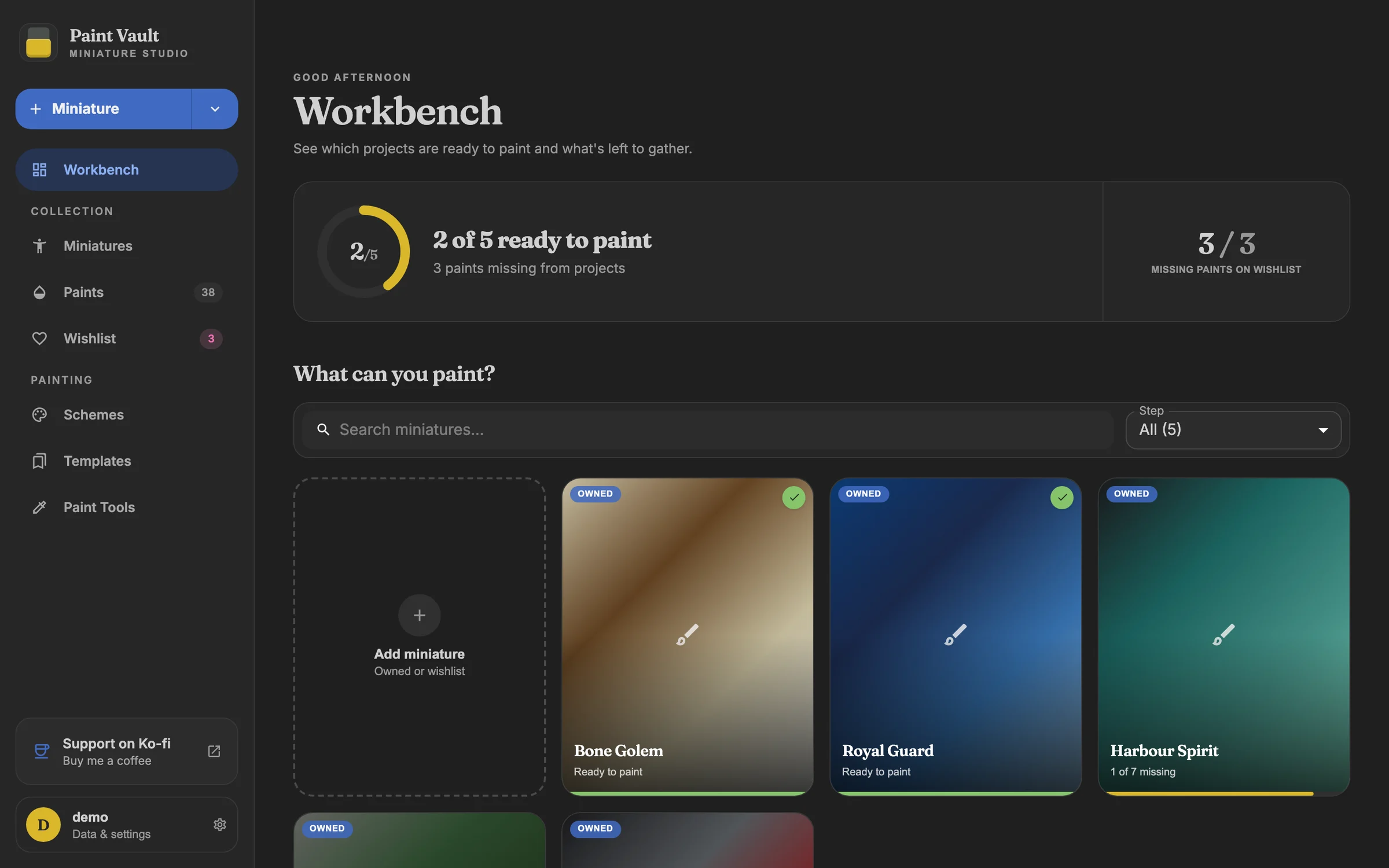
The Paintwarden workbench: 2 of 5 miniatures ready to paint, 3 paints missing, and project cards showing how many paints each still needs.
The workbench in the Paintwarden app
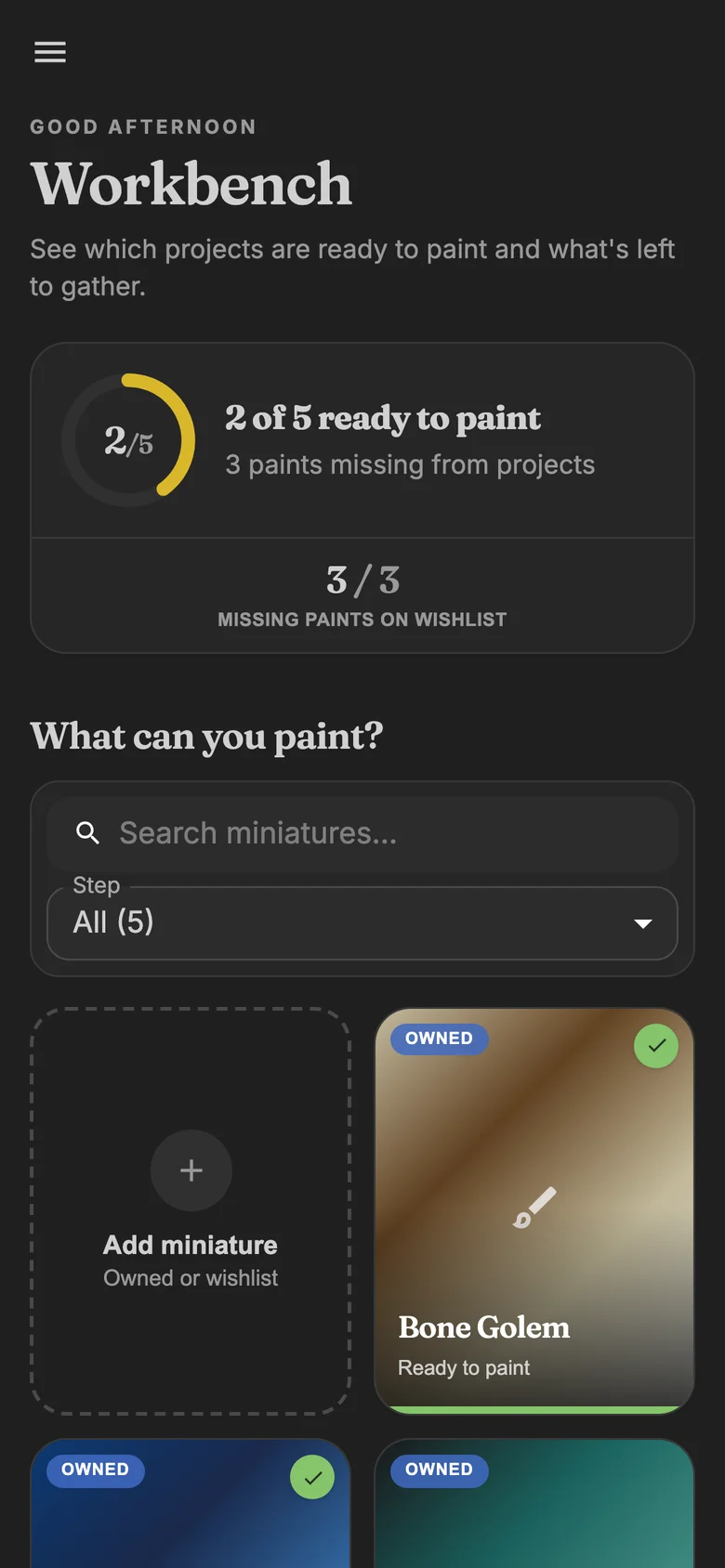
The Paintwarden workbench on a phone, with the summary and project cards stacked in one column.
The workbench on a phone
Plugins
Catalogs you choose
Paints, schemes, and templates from GitHub or a .zip
Yours
Custom colors
Add paints, schemes, and templates of your own
1 file
Complete backups
Records, photos, and plugins in one .zip
2
Ways to run it
Desktop app or your own server

The workbench

Everything on your painting desk, connected

Seven places in the app, each one aware of the others. Mark a paint as owned and every project that needs it updates.

Workbench

See which miniatures are ready to paint and how many paints each project still needs.
Miniatures

Track every model you own or want, with photos, notes, and a painting stage from assembled to complete.

Paints

Search your installed ranges, mark bottles as owned, and keep count of what's on the shelf.

Wishlist

Collect missing paints and wanted miniatures in one list for the store.

Schemes

Save ordered color recipes with steps and reference images, then reuse them across models.

Templates

Start a miniature from a template that already carries its schemes and paint steps.

Paint Tools

Compare colors and convert a scheme into one built from paints you already own.

Data & settings

Export and restore a backup, change the server connection, and choose whether sign-in is required.

Paints

Know exactly what's on your shelf

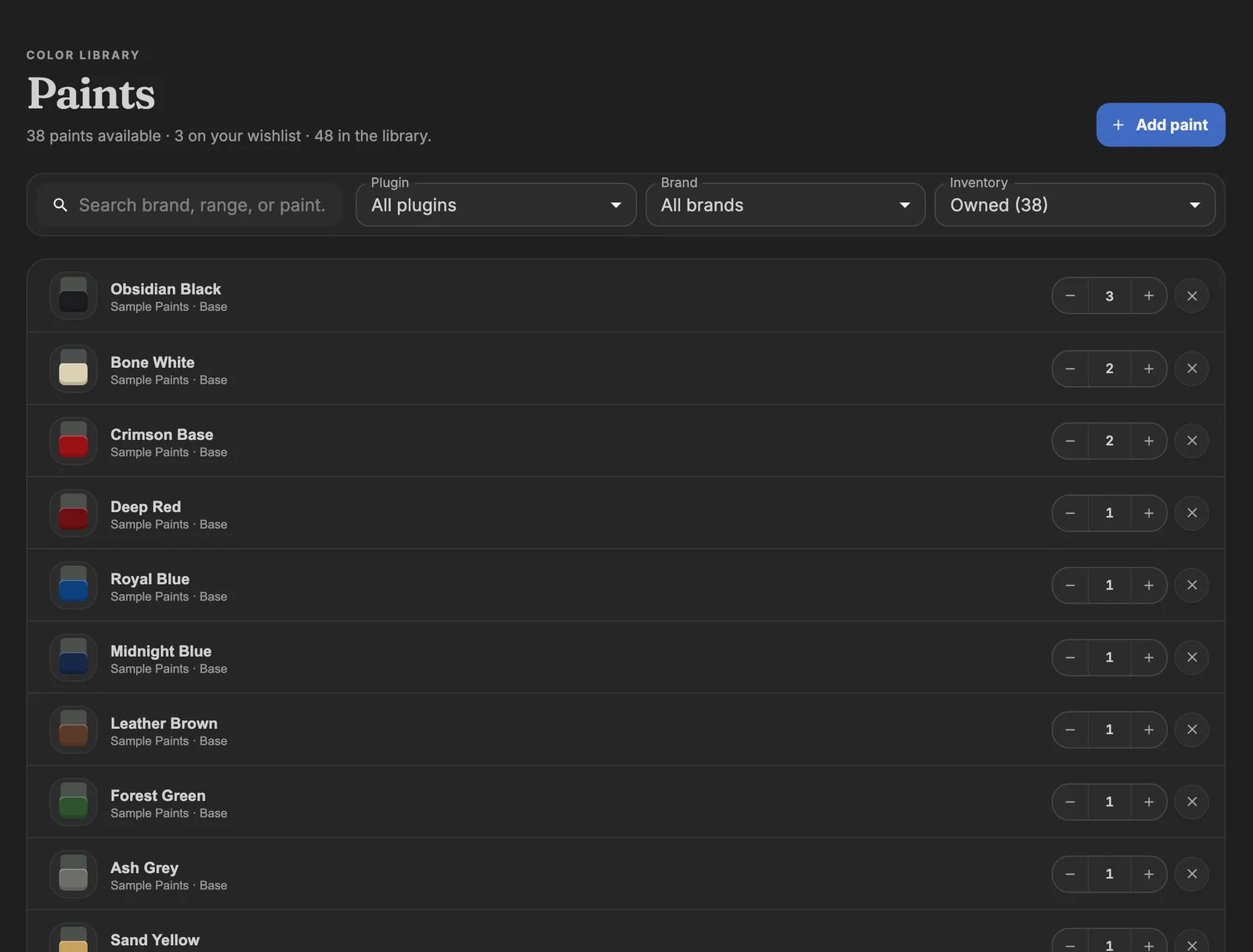
Every bottle in one searchable library. Install paint ranges as plugins, mark what you own, set quantities, and add anything your catalog is missing.
  • Install paint catalogs as plugins from GitHub or a .zip
  • Owned, wishlist, and quantity at a glance
  • Add custom colors your catalog is missing
Explore the paint library
The Paints library filtered to owned paints, each row with a color swatch, its range, and a bottle count.
The paint library

Projects

Open a model, see what's missing

Each miniature keeps its notes, photos, and paint recipe. Paintwarden checks the recipe against your shelf and tells you what to buy.
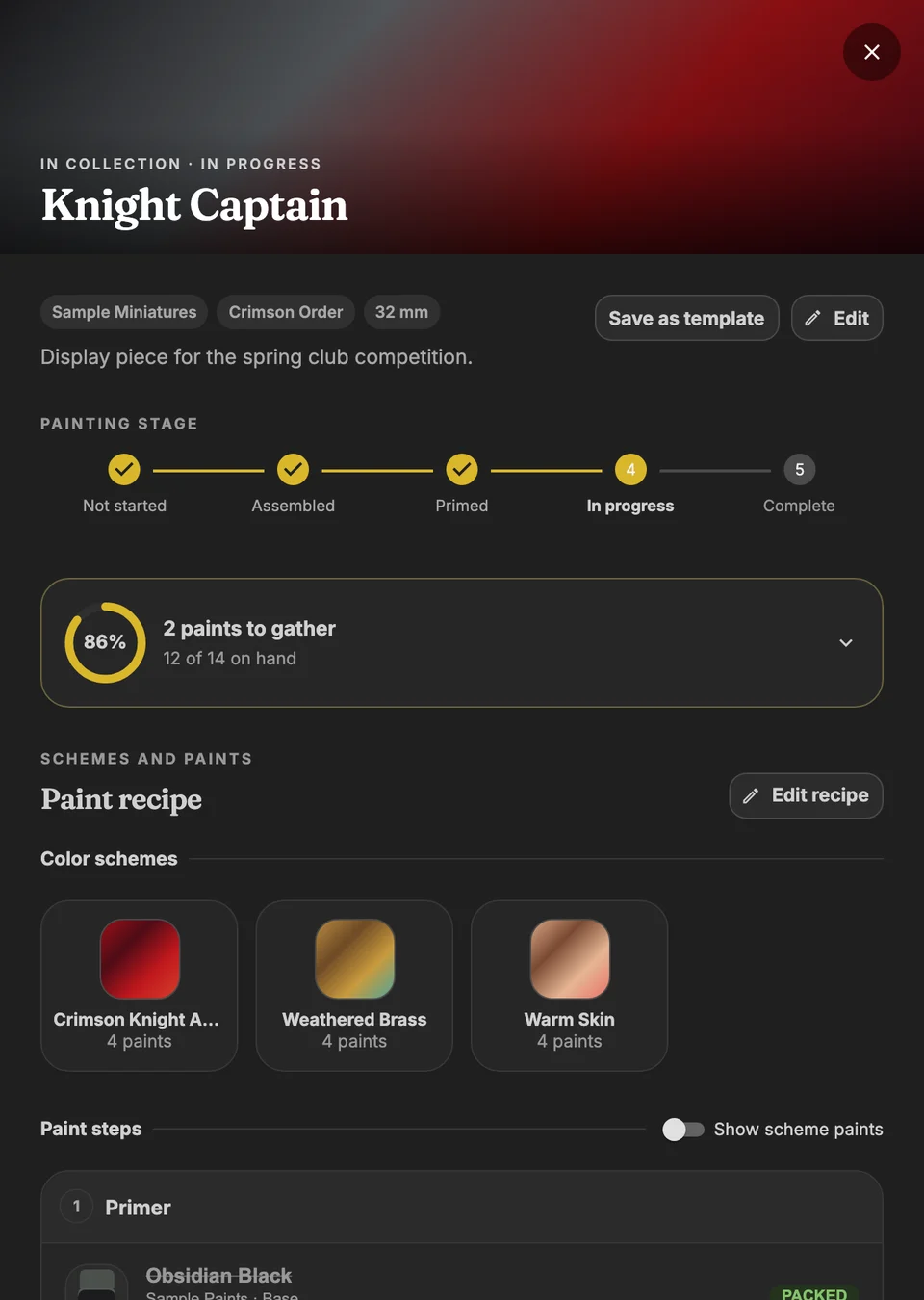
  • Recipes check themselves against your collection
  • Send missing paints to the wishlist in one tap
  • Attach reusable schemes to any miniature
Plan a miniature
A Knight Captain miniature in progress: painting stage, 2 paints to gather with 12 of 14 on hand, and three attached color schemes.
A miniature's recipe and painting stage

Paint Tools

Find a stand-in from paints you own

Paint compare ranks catalog colors by how close they look on screen. The Recipe converter swaps a scheme's paints for ones on your shelf and saves a new copy.
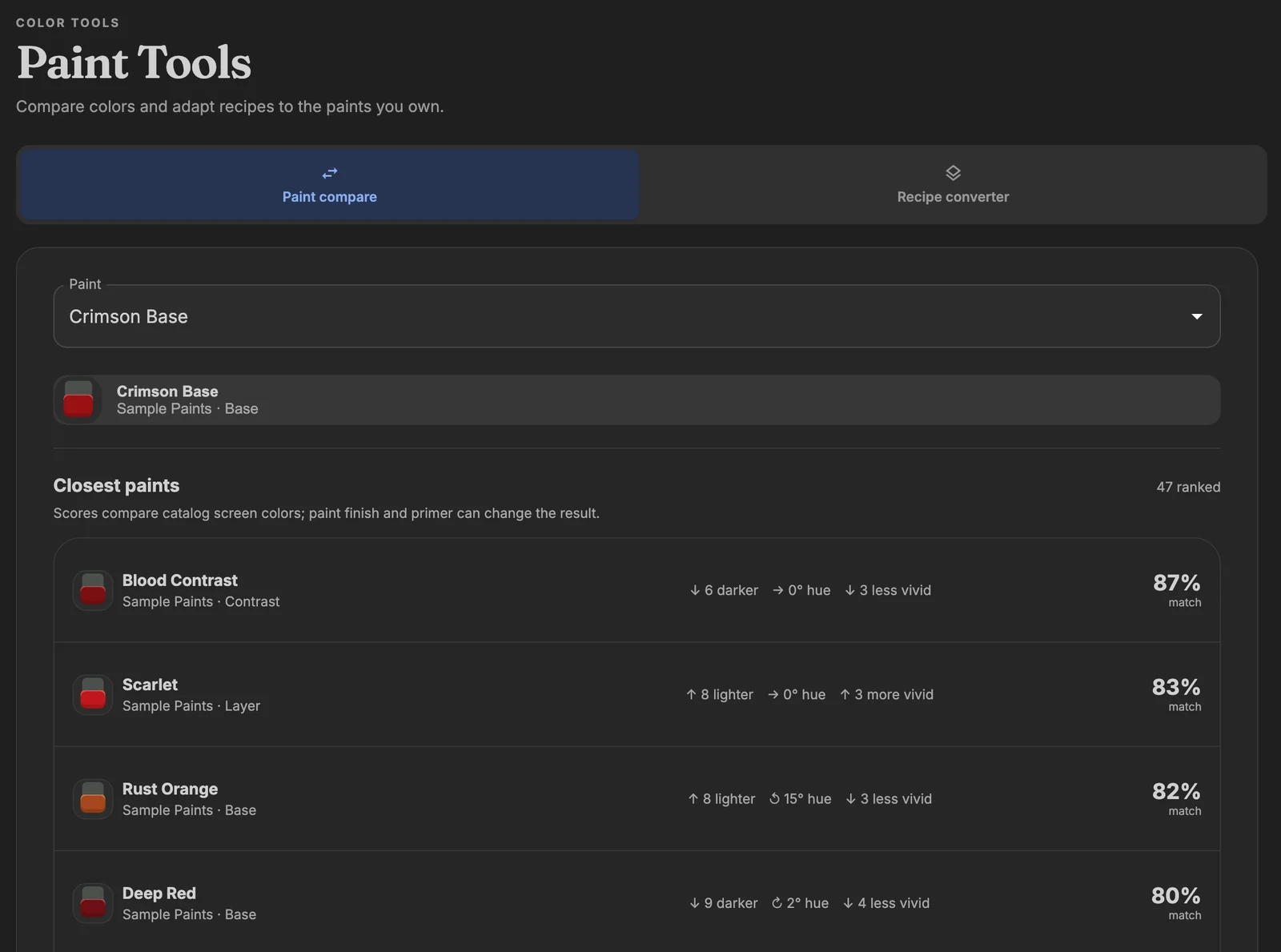
  • Lightness, hue, and vividness differences explained
  • Review every swap before you save
  • Your original scheme stays unchanged
Learn about Paint Tools
Paint compare ranking the closest paints to Crimson Base by match percentage, with lightness, hue, and vividness differences.
Paint compare

Your vault, your rules

Your collection lives where you choose

Paintwarden stores your collection in a SQLite database on hardware you choose. The desktop app can also connect to a server you already run.

On your computer

The desktop app runs a private vault on macOS or Windows. No separate server to set up.

On your own server

Run the web app with Docker Compose and open it from any browser on your network.

Behind your sign-in

A one-time setup code protects creating the owner account. The owner decides whether vault data needs sign-in.

Ready for the next session?

Install the desktop app or run your own web vault.

Get started
PaintwardenMiniature studio

Your paints, projects, and recipes in one quiet place, on your desktop or your own server.

Source-available. Free for personal and other non-commercial use. Commercial use requires permission.

Product

  • Overview
  • How to use
  • FAQ
  • Download
Paintwarden is an independent project and is not affiliated with any paint or miniature maker. Brand and paint names in plugins belong to their owners.